
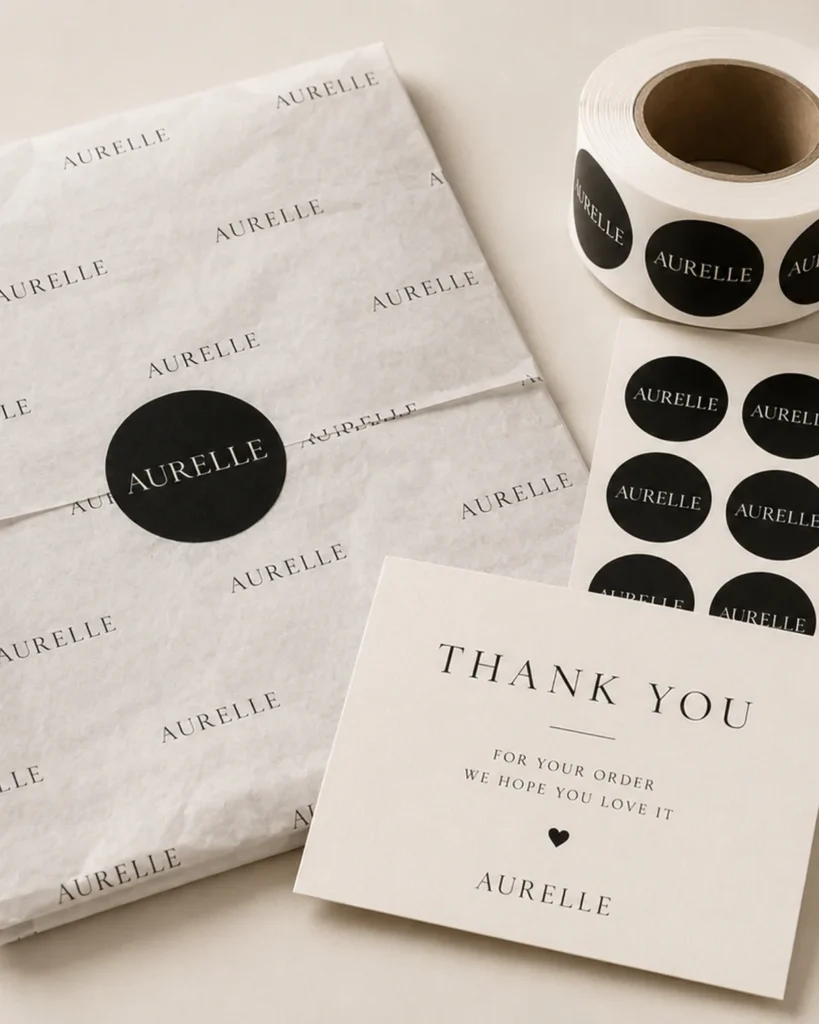
Labels, tissue, cards, tags, and inserts may travel in one shipment, but they rarely share the same material, print setup, minimum order, proof, or production owner. A single bundled price can hide which item controls cost, timing, and color risk.
Treat consolidation as a logistics decision after each accessory has a controlled specification—not as permission to merge unlike assumptions into one line item.
This checklist shows how to itemize the set, compare per-item minimums and setup charges, approve color on the intended substrate, and preserve the record for reorders.
Direct answer: List every accessory with its owner, material, print method, color reference, quantity, MOQ or setup charge, proof route, and pack-out position. Lock each item before consolidating the shipment, and keep shared charges separate from item-specific charges so quotations remain comparable.
Method and scope: This workflow uses the documented-control principle in ISO 9001:2015 and the substrate-aware color references described in Pantone’s print and packaging guide. Neither source sets a supplier’s MOQ, setup price, or acceptable color difference for this order; those values must come from the written quotation, agreed viewing or measurement method, and approved production-intent samples.
For brand owners and importers, keep packaging accessories consolidated order MOQ color consistency checklist quote-ready: specs to send, proof to request, sample checks to approve, and reorder notes to retain.
List Every Packaging Accessory and Its Owner
| Cost driver | What changes it | Quote signal | Risk to avoid | Buyer action |
|---|---|---|---|---|
| Number of unique accessory types (labels, tissue, cards, tags, inserts) | Each accessory type requires separate tooling, print pass, and finishing setup | Supplier lists each accessory with its own setup fee and MOQ | Consolidating under one PO hides per-accessory setup charges until final invoice | Request an itemized cost breakdown per accessory type before comparing quotes |
| Color pass count per accessory | More colors or spot colors increase print passes and setup time | Quote separates color pass fees from material and tooling costs | Unpriced color pass charges appear as change orders after approval | Ask supplier to confirm number of print passes per accessory and include in RFQ |
| Lead time for tooling and sample approval | Each accessory’s tooling and sample cycle adds to total lead time | Supplier provides separate lead time for tooling, sampling, and production | Delayed sample approval on one accessory holds the entire consolidated order | Verify that the lead time quoted includes all accessory tooling and sample rounds |
| MOQ per accessory versus consolidated order MOQ | Supplier may set MOQ per SKU, not per total order quantity | Quote shows MOQ for each accessory, not just a single order-level minimum | Ordering below per-accessory MOQ triggers price increases or order rejection | Confirm that each accessory meets its MOQ before combining into one PO |
| Quality control sampling scope per accessory | Number of samples inspected per accessory affects QC cost and time | Supplier specifies sampling plan (e.g., AQL level) per accessory type | Inconsistent sampling across accessories misses color or finish defects | Request a written sampling plan per accessory and compare to approved sample |
Use this cost breakdown table as an approval sequence. For number of unique accessory types (labels, tissue, cards, tags, inserts), a poor decision can mean consolidating under one po hides per-accessory setup charges until final invoice. Request written proof and compare it with the approved sample or specification, then request an itemized cost breakdown per accessory type before comparing quotes.
For the number of unique accessory types (labels, tissue, cards, tags, inserts) checkpoint in packaging accessories consolidated order MOQ color consistency checklist, keep the supplier response, marked sample, approved specification, quotation, and approval owner under the same revision number. If the evidence conflicts with the approved record, hold the quote, sample, or production release until the deviation is explained in writing. Carry the signed decision record into the purchase order, production handoff, shipment release, and later reorder review so every team works from the same baseline.
Separate labels tissue cards tags and inserts
Each accessory type—labels, tissue, cards, tags, inserts—has distinct material grade, print pass count, and finishing requirements. Consolidating them under one PO does not merge these fixed costs. Request a line-item specification sheet per accessory to see tooling charges, material grade, and color pass count. This prevents surprise setup fees and ensures each item meets the same color consistency standard.
Assign artwork color and approval responsibility
Assign a single master artwork file per accessory and lock the version name before sending to the supplier. This prevents the supplier from using an outdated file for one item while a newer version is used for another. Include the master file name and revision date in the RFQ so every quote is based on the same approved source. Document the approval owner for each accessory to avoid conflicting sign-offs.
Map MOQ and Setup Cost by Accessory
For packaging accessories consolidated order MOQ color consistency checklist, treat the MOQ and setup cost items below as RFQ inputs. Match each buyer input to written supplier confirmation, approval evidence, and the risk that would hold the quote.
- Per-accessory material, print pass, and finishing specification: Each accessory type (label, card, insert) has distinct substrate, ink coverage, and coating requirements that determine the minimum run the supplier can schedule. A 4-color process label on coated stock with aqueous coating may have a higher MOQ than a 1-color tag on uncoated board due to press setup and ink waste. The supplier may quote a consolidated MOQ that hides per-item minimums, leading to partial order fulfillment or unplanned setup fees. Request a line-item specification sheet per accessory and ask the supplier to confirm the minimum quantity for each unique material, print pass, and finish combination.
- Shared setup cost allocation across accessories: Setup costs for die-cutting, plate-making, and color registration can be shared if multiple accessories run on the same press or substrate, reducing per-item charges. If labels and cards share the same paper stock and print process, the supplier may combine setup into one charge rather than billing each item separately. Setup costs are buried in the total PO, making it impossible to compare per-accessory economics or identify which item drives the highest fixed cost. Ask the supplier to itemize setup charges per accessory and identify which costs can be shared when accessories use the same substrate, print method, or finishing line.
- Color consistency by substrate type: The same named color can appear different on coated paper, uncoated card, tissue, and film. Do not copy a generic tolerance into the RFQ. Agree the reference, instrument and viewing conditions where measurement is used, then approve a proof on each intended substrate and record the project-specific acceptance rule before production.
Identify material print and finishing minimums
For each accessory, request the supplier’s minimum run quantity based on the specific material grade, number of print passes, and finishing steps. A label with foil stamping and embossing may require a higher minimum than a plain card due to tooling and press setup. Document these minimums per accessory in the RFQ to avoid surprises when the consolidated order is placed.
Separate shared setup from item-specific charges
Ask the supplier to itemize setup costs per accessory and identify which charges can be shared when multiple items use the same substrate, print process, or finishing line. For example, if labels and cards run on the same press with the same ink set, the plate and color registration setup may be billed once. Record the shared cost allocation in the quote to enable accurate per-accessory cost comparison.
See packaging dieline and custom packaging specs for map MOQ and setup cost by accessory.
RFQ checkpoint
Check the product route for sizes, structures, materials, finishes, and RFQ details before sampling packaging accessories consolidated order MOQ color consistency checklist.
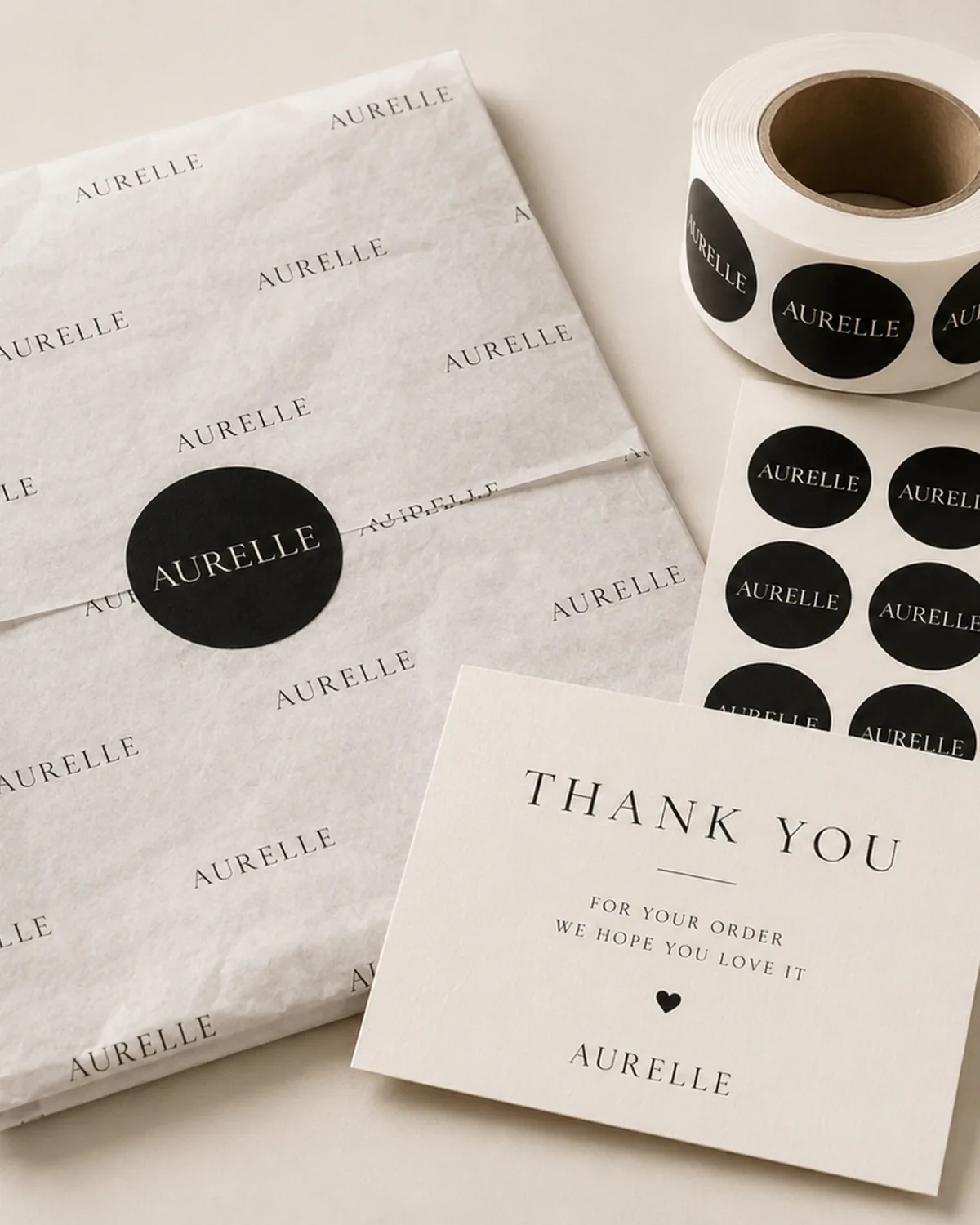
Create One Color and Artwork Control System
For packaging accessories consolidated order MOQ color consistency checklist, treat the color and artwork control system as a release rule: approve only when the supplier evidence matches the written requirement.
- Supplier cannot name the master reference file for each accessory artwork. Without a locked master, each accessory may be printed from a different file version, causing color drift across labels, cards, and inserts.
- Supplier offers to match color by eye or by a generic PMS book without a spectrophotometer reading. Visual matching alone cannot guarantee repeatable color across different production runs or accessory types.
- Artwork files for different accessories use different color spaces or embedded profiles. Mixed color spaces (e.g., CMYK vs. Pantone) can cause visible mismatch between items that are supposed to match.
- Supplier does not provide a signed approval record for each accessory’s color proof. Without a signed record, there is no evidence that the buyer approved the color before production, risking rework at the buyer’s cost.
Additional RFQ items include supplier cannot show how they prevent logo or color drift between accessories in the same consolidated order. If each accessory is printed on a different substrate or by a different process, the same Pantone value can appear different.
Use approved master references and version names
Assign a single master artwork file per accessory and lock the version name before sending to the supplier. This prevents the supplier from using an outdated file for one item while a newer version is used for another. Include the master file name and revision date in the RFQ so every quote is based on the same approved source.
Prevent cross-item color and logo drift
When accessories use different substrates, the same Pantone value can appear visually different. Ask the supplier to provide a color proof on each substrate and compare them side by side under controlled lighting. Document the acceptable dE tolerance for each substrate in the approval record to ensure the final order matches the approved sample across all items.
See ecommerce packaging solutions for create one color and artwork control system.
Plan Consolidated Sampling and Pack-Out
When a packaging accessory spec is unclear or the approval record is incomplete, the commercial consequence is a costly re-run or a shipment that fails to meet retail standards. To avoid this, sequence proofs, physical samples, and final assembly in a single consolidated pass. Start by confirming with your supplier that every accessory—labels, cards, inserts, cartons—has a matching approved art proof and PMS chip before any production run. Then, during pack-out, verify counting, kitting, and carton assumptions against the RFQ-confirmed requirement. For example, ask: “Does the buyer require a sealed master carton with a packing list, or individual poly bags per accessory?” This step catches mismatches in unit quantity or packaging method before final assembly. Below is a quick checklist to guide the handoff:
| Checkpoint | Verification Question |
|---|---|
| Proofs & Samples | Are all accessory art proofs and physical samples signed off by the buyer? |
| Counting & Kitting | Does the kitting list match the buyer’s confirmed unit count per SKU? |
| Carton & Shipment | Is the carton configuration (e.g., inner pack, master case) per the buyer’s written instruction? |
After the table, document the RFQ handoff: confirm the sample scope (e.g., one full set of all accessories) and the approval deadline. This eliminates production risk and ensures factory execution aligns with the buyer’s cost and MOQ assumptions.
Sequence proofs physical samples and final assembly
For consolidated accessory orders, sequence proofs, physical samples, and final assembly to connect the buyer requirement, quote input, supplier proof, sample record, and next RFQ follow-up.
Check counting kitting carton and shipment assumptions
For consolidated accessory orders, turn the counting, kitting, carton, and shipment assumptions into a written buyer record before the supplier prices, samples, or schedules production.
See paper packaging quality control for plan consolidated sampling and pack-out.
Set Reorder and Change-Control Rules
Before placing a consolidated reorder, verify that the archived specification for each accessory—label, card, insert, or tag—matches the last approved sample. A documented mismatch between the archived spec and the physical sample is a common cause of color drift in repeat orders.
Archive specifications, suppliers, and approved samples
Maintain a single folder per accessory SKU containing: the signed-off artwork PDF, the color target (e.g., Pantone reference or spectral measurement), the supplier’s process control sheet, and a photo of the approved sample under standard lighting. For each reorder, confirm that the archived spec has not been superseded by a change order.
Define partial reorder and substitution approval triggers
Establish clear rules for when a partial reorder is allowed (e.g., only if the same production lot is still active) and when substitution of a material or supplier requires a new approval cycle. Use the checklist below to structure your reorder review.
| Checkpoint | Buyer Verification Question |
|---|---|
| Spec match | Does the archived spec match the last approved physical sample for every accessory? |
| Color target | Is the color target (Pantone or spectral) still valid and within the supplier’s current capability? |
| Substitution trigger | Has the supplier proposed a material or process change since the last order? |
| Partial reorder rule | Is the reorder quantity from the same production lot as the original approval? |
| Approval record | Is the signed approval record dated and stored with the spec folder? |
If any checkpoint fails, treat the reorder as a new approval and require a fresh sample submission. This rule prevents color drift and ensures that every accessory in a consolidated order meets the original quality standard.
Conclusion: Consolidate Only After Each Accessory Has a Locked Specification
The final approval for a consolidated packaging accessories order hinges on one rule: lock each accessory’s specification before combining them under a single PO. To do this, compare the archived spec—artwork file, color target, material grade, and finish—against the last approved sample for every label, card, insert, or tag. If any discrepancy appears, treat the reorder as a new approval and require a fresh sample submission. This buyer-driven check prevents color drift and hidden setup charges that surface only after the invoice arrives. For each accessory, ask the supplier to itemize the setup cost, tooling charge, and unit price, and confirm whether MOQ can be shared across items using the same substrate or print process. Document the approval owner and revision date for every spec, and carry the signed decision record into the purchase order and production handoff. Only when each accessory has a locked specification—and the evidence matches the written requirement—should you proceed to consolidate the order.
To request a quote, visit packaging accessories products and confirm the final specification, quote assumptions, sample approval, QC evidence, approval risk, and supplier follow-up before bulk order.
Packaging Accessories Consolidation FAQ
Which quote terms should buyers compare before RFQ for Packaging accessories consolidated order moq color consistency checklist?
Compare the per-accessory setup cost, tooling charge, and unit price for each item in the consolidated order. For each accessory, ask the supplier to itemize the material grade, print pass count, and finishing steps that drive the cost. Document the MOQ per accessory type and confirm whether setup charges can be shared when multiple items use the same substrate or print process. Ask how QC will check the sample, color, finish, packing, and bulk order.
What information do you need from us to quote accurately?
Provide the exact specification for each accessory: material grade, dimensions, print pass count, finishing requirements, and the approved artwork file with version name and revision date. Include the target color reference (e.g., Pantone number) and the acceptable tolerance range you require. Also state the quantity per SKU and the desired pack-out method so the supplier can calculate material waste, setup time, and per-accessory MOQ. Ask for a sample, specification confirmation, or QC evidence before approval.
Which artwork files and logo details should buyers include in the RFQ for Packaging accessories consolidated order moq color consistency checklist?
Require the supplier to describe their structural design and artwork setup process, including the file formats they accept and the proofing method they use before prototyping. Request a sample of a similar accessory they have produced to verify their capability. Confirm the lead time for structural design and prototyping, and document the approval steps required before production begins. Confirm MOQ and order quantity by color, width, artwork, and packing route.
What are your MOQs by format, material, and print method?
Obtain the supplier’s minimum run quantity for each accessory format, material grade, and print method. For example, a label with foil stamping may require a higher minimum than a plain card due to tooling and press setup. Document these minimums per accessory in the RFQ and confirm whether the MOQ applies per SKU or can be aggregated across similar items on the same substrate. Ask how QC will check the sample, color, finish, packing, and bulk order.



Ask a Packaging Question